


In today’s smartphone-driven world, managing money has never been easier. Digital banking apps have transformed how Indians handle their finances, from opening accounts to tracking every rupee spent. But what exactly is a digital banking app, and how is it different from traditional banking? This guide breaks down everything you need to know.
Digital Banking Apps: The Future of Banking in India
Digital banking apps are at the core of India’s digital banking revolution, transforming how millions manage money daily. As digital banking continues to evolve in 2026, apps like Galgal represent the next generation, combining traditional banking security with intelligent money management features. To understand the broader digital banking ecosystem, regulations, and how these apps fit into India’s financial landscape, explore our complete guide on Digital Banking in India.
Understanding Digital Banking Apps
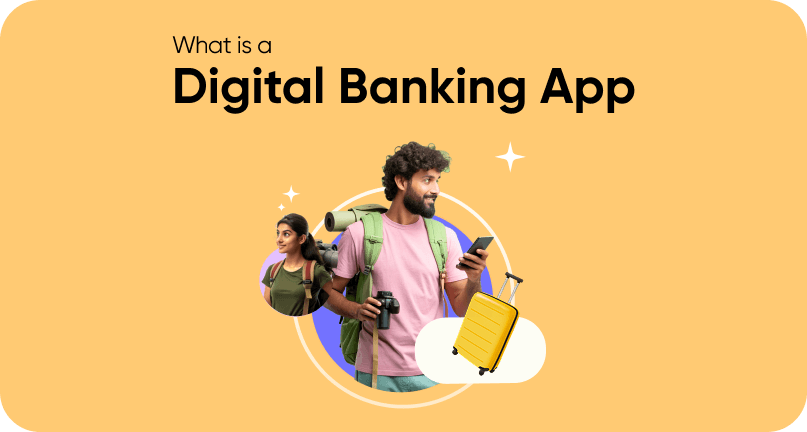
A digital banking app is a mobile application that provides complete banking services through your smartphone without requiring branch visits. These apps let you open accounts, transfer money, pay bills, track expenses, and manage savings, all from your phone, 24/7.
How is it Different from Traditional Bank Apps?
Many people confuse digital banking apps with traditional bank apps. Here’s the key difference:
| Feature | Traditional Bank Apps | Digital Banking Apps |
| Account Opening | Requires branch visit | 100% mobile via Video KYC |
| Primary Purpose | Access existing account | Complete financial management |
| Core Features | View balance, transfer money | Budgeting, expense tracking, goal planning, analytics |
| Design Philosophy | Bank website on mobile | Mobile-first experience |
| Minimum Balance | Usually required | Zero balance accounts |
| Financial Insights | Basic transaction history | AI-powered spending analytics |
| Automation | Limited | Auto-budgeting, auto-categorization |
Example: HDFC’s mobile app is a traditional bank app, it gives you mobile access to your HDFC account, but you still opened that account at a branch. Apps like Galgal are true digital banking apps, you open your account entirely through the app and get advanced money management features built specifically for mobile users.
Key Features of Digital Banking Apps
Digital banking apps offer comprehensive features that go beyond basic banking:
1. Instant Account Opening with Video KYC
What it is: Open a complete savings account through your phone without visiting a branch.
How it works:
- Download the app
- Upload PAN and Aadhaar
- Complete Video KYC (video call with verification officer)
- Account activated in 5-10 minutes
Example: Galgal lets you open a zero balance savings account entirely through Video KYC. The whole process takes just 5-10 minutes, and you start banking immediately, no paperwork, no branch visits.
2. Automatic Expense Tracking
What it is: Every transaction automatically categorized so you know exactly where money goes.
Categories typically tracked:
- Food & Dining
- Shopping
- Transportation
- Bills & Utilities
- Entertainment
- Healthcare
- Education
- Others
Why it matters: Manual expense tracking rarely works. Automatic tracking requires zero effort while giving complete spending visibility.
How Galgal does it: Every transaction, whether UPI payment, card swipe, or bill payment, automatically appears in the app with the correct category. See at a glance how much you spent on food delivery this month or whether your shopping budget is on track.
3. Auto-Budgeting
What it is: The app automatically allocates your income across different spending categories based on proven financial principles.
The 50-30-20 Rule:
- 50% for essentials (rent, groceries, utilities, transport)
- 30% for savings (building your financial future)
- 20% for discretionary spending (entertainment, dining out, shopping)
Why it works: Budgeting sounds good in theory but fails in practice because manual tracking is tedious. Auto-budgeting handles the complexity automatically.
How Galgal implements it: Galgal’s Auto-Budgeting follows the golden 50-30-20 rule by default, automatically categorizing every transaction and showing if you’re on track. The best part? You can customize these percentages to match your lifestyle, maybe 40-40-20 if you’re aggressively saving, or 60-20-20 if you have higher living costs.
4. Goal-Based Savings
What it is: Create specific savings goals with target amounts and timelines instead of generic “save more” intentions.
Common savings goals:
- Emergency fund (₹1,00,000 in 12 months)
- New laptop (₹60,000 in 8 months)
- Study abroad fund (₹5,00,000 in 24 months)
- Vacation (₹40,000 in 10 months)
- Wedding expenses
- Home down payment
Why it works: Specific goals with clear targets are far more motivating than vague savings intentions. Seeing visual progress keeps you committed.
How Galgal does it: Create unlimited savings goals with personalized timelines. Galgal calculates exactly how much you need to save monthly and lets you automate contributions. Watch your progress grow with motivating visual charts that make your dreams feel achievable.
5. Spending Analytics (TrendZ)
What it is: AI-powered analysis of your spending patterns over time to help you make better financial decisions.
Insights you get:
- Which spending categories trend upward month-over-month
- Comparison of current month vs previous months
- Weekend spending vs weekday spending patterns
- Merchant analysis (which stores/apps get most of your money)
- Seasonal spending variations
Why it matters: You can’t improve what you don’t measure. These insights reveal patterns you’d never notice manually.
Galgal’s TrendZ feature: Analyzes your spending over weeks and months, identifying where money leaks happen. See that your food delivery spending increased 30% this month, or notice that you consistently overspend on weekends. Data-driven insights lead to informed decisions instead of guesswork.
6. Digital Payments Integration
What it includes:
- UPI Payments: Send money instantly using phone numbers or UPI IDs
- Bill Payments: Pay utilities, subscriptions, insurance automatically
- Card Payments: Use physical and virtual debit cards everywhere
- QR Code Payments: Scan and pay at merchants instantly
Why it matters: Having all payment methods in one app eliminates juggling multiple apps and provides complete transaction visibility.
7. Premium Card Benefits
Many digital banking apps partner with banks to offer premium debit cards with exclusive benefits:
Typical Benefits:
- Cashback rewards on transactions
- Airport lounge access
- Merchant discounts and offers
- Insurance coverage
- Zero annual fees
Galgal’s RuPay Platinum Debit Card (issued by Cosmos Co-operative Bank):
- Cashback on all POS and online transactions
- Complimentary airport lounge access (domestic and international)
- Exclusive merchant offers at thousands of partners
- Built-in insurance coverage
- Zero balance requirement (no minimum balance needed)
- Virtual card for immediate use while physical card ships
Note: The RuPay debit card is issued and managed entirely by Cosmos Co-operative Bank.
Who Should Use Digital Banking Apps?
Digital banking apps benefit specific groups particularly well:
Students
Why students need digital banking apps:
- Limited income makes zero balance accounts essential
- Need to learn money management without complexity
- Track education expenses separately (tuition, books, supplies)
- Save for specific goals (study abroad, new laptop, certifications)
- Benefit from premium features usually unavailable to students
How Galgal helps students:
- Zero balance account accessible on student budgets
- Auto-Budgeting teaches financial principles while managing money automatically
- Goal-based savings for tuition and study abroad dreams
- Track education expenses separately from other spending
- RuPay Platinum card with airport lounge access (valuable for international education travel)
- High-interest savings to grow education funds faster
Young Professionals
Why young professionals need digital banking apps:
- Busy schedules require automation
- Building wealth in early career is crucial
- Need to optimize spending while enjoying life
- Want premium benefits without high minimum balances
How Galgal helps young professionals:
- Auto-Budgeting saves time while optimizing finances
- TrendZ analytics identify spending optimization opportunities
- Goal-based savings builds wealth systematically
- Premium RuPay card enhances lifestyle (airport lounges, cashback, offers)
- High-interest savings accelerates wealth building
Anyone Seeking Financial Wellness
Common financial challenges:
- Feeling stressed about money despite earning decent income
- Not knowing where money goes each month
- Struggling to save consistently
- Lacking financial visibility and control
How digital banking apps solve these:
- Automatic tracking eliminates guesswork
- Budgeting automation reduces mental burden
- Goal visualization maintains motivation
- Complete transparency creates awareness that changes behavior
How to Choose the Right Digital Banking App
Not all digital banking apps are created equal. Here’s what to evaluate:
Essential Criteria Checklist
RBI-Licensed Banking Partner
- Ensures regulatory compliance and deposit insurance
- Look for partnerships with recognized banks
- Example: Galgal partners with Cosmos Co-operative Bank (RBI-licensed)
Zero Balance Account
- No minimum balance penalties
- Accessible to students and young professionals
- Makes premium features available to everyone
Comprehensive Money Management
- Automatic expense tracking and categorization
- Auto-budgeting with customizable rules
- Goal-based savings plans
- Spending analytics and insights
Security Features
- Two-factor authentication
- Biometric login (fingerprint/face recognition)
- Real-time transaction alerts
- Instant card freeze/unfreeze
User Experience
- Intuitive interface requiring no technical expertise
- Fast performance without lag
- Good customer reviews and ratings
- Responsive customer support
Premium Benefits
- Quality debit card with rewards
- Cashback or offers program
- Additional perks (lounge access, insurance, etc.)
No Hidden Fees
- Clear fee structure
- No surprise charges
- Transparent pricing
Setting Up Your First Digital Banking App
Getting started with a digital banking app is simple. Here’s the step-by-step process:
Step 1: Download the App
- Search for the app in App Store (iOS) or Google Play Store (Android)
- Verify it’s the official app (check developer name, reviews, download count)
- Download and install
Step 2: Gather Required Documents
You’ll need:
- PAN Card: For tax compliance and identity verification
- Aadhaar Card: For biometric verification
- Smartphone with Camera: For Video KYC
Step 3: Start Registration
- Open the app and click “Sign Up” or “Open Account”
- Enter basic details (name, mobile number, email)
- Verify mobile number via OTP
Step 4: Complete Video KYC
- Schedule or start immediate Video KYC
- Show PAN and Aadhaar to verification officer via video call
- Answer basic verification questions
- Process typically takes 5-10 minutes
Galgal’s Video KYC: Simple, guided process with clear instructions at each step. Even first-time users find it easy. The verification officer walks you through everything, making it stress-free.
Step 5: Account Activation
- Account activates immediately after successful verification
- Set up UPI PIN for payments
- Explore app features (budgeting, goal creation, expense tracking)
- Order physical debit card (virtual card available immediately)
Step 6: Start Using Features
- Link existing bank accounts if needed
- Set up your first savings goal
- Enable Auto-Budgeting
- Customize budget percentages to your lifestyle
- Start transacting and watching automatic categorization work
Common Questions About Digital Banking Apps
Is a digital banking app safe?
Yes, when you choose apps partnered with RBI-licensed banks. Your money sits in a regulated bank account with:
- Deposit insurance up to ₹5 lakh under DICGC
- RBI oversight and compliance requirements
- Multiple security layers (encryption, 2FA, biometric authentication)
- Real-time fraud detection
Galgal’s security: Partners with Cosmos Co-operative Bank (RBI-licensed), implements end-to-end encryption, requires biometric authentication, and sends instant alerts for every transaction.
Do I need to maintain a minimum balance?
Not with digital banking apps offering zero balance accounts. Unlike traditional banks charging penalties if your balance drops below a minimum threshold, zero balance accounts have no such requirement.
Galgal: Complete zero balance account, no minimum balance, no penalty charges. Accessible to students and young professionals with limited income.
Can I use a digital banking app as my primary account?
Absolutely. Digital banking apps provide all services of traditional banks:
- Salary deposits
- Bill payments
- UPI and card transactions
- Investment linking
- Government benefit transfers
Many users make digital banking apps their primary account for better money management features.
How long does account opening take?
With Video KYC, the entire process takes 5-10 minutes from download to activation. Much faster than traditional banking requiring branch visits, form filling, and days of waiting.
What if I lose my phone?
Your money remains safe:
- Accounts are password/biometric protected
- Unauthorized access is nearly impossible
- Log in from new device with credentials
- Freeze your debit card instantly through web portal or customer service
Best practice: Enable biometric authentication and use strong, unique passwords.
Are there any fees?
Fee structures vary by app. Look for:
- Zero account opening fees
- No minimum balance charges
- No or low transaction fees
- Free debit cards
Galgal: Zero balance account, no maintenance fees, RuPay Platinum Debit Card at zero cost. Banking should be accessible to everyone, not just those who can afford high fees.
Can I access my account from a computer?
Most digital banking apps are mobile-first but many offer web portals for desktop access. Check with your specific app.
What’s the age requirement?
Most digital banking apps require users to be 18+ years old to open individual accounts independently. Some apps offer minor accounts with parental consent.
Why Galgal Stands Out as a Digital Banking App
Galgal is purpose-built for young Indians, students and young professionals, who want stress-free money management with powerful automation.
What Makes Galgal Different
Built Specifically for Youth:
- Zero balance account accessible on student/early-career budgets
- Features designed for life stages (tuition tracking, study abroad savings)
- Premium benefits without premium requirements
- Educational approach teaching financial management through automation
Complete Money Management Solution:
- Auto-Budgeting with customizable 50-30-20 rule
- Automatic expense tracking and categorization
- TrendZ analytics for spending pattern insights
- Unlimited goal-based savings plans
- High-interest savings accounts
Premium Benefits at Zero Cost:
- RuPay Platinum Debit Card (issued by Cosmos Bank)
- Cashback on all transactions
- Airport lounge access (domestic and international)
- Merchant offers and insurance coverage
- Virtual card for immediate use
Effortless Experience:
- Video KYC opens account in 5-10 minutes
- Intuitive mobile-first interface
- Instant notifications for complete visibility
- Responsive customer support
Automation That Changes Behavior:
- Removes mental burden of tracking expenses
- Creates awareness improving decisions naturally
- Maintains motivation through visual progress
- Transforms financial stress into financial confidence
Galgal’s Vision
Empower young Indians through easy money management. Transform financial stress into financial wellbeing. Where easy habits meet youth aspirations, and financial success becomes automatic.
Getting Started with Your Digital Banking Journey
The shift to digital banking isn’t just about technology, it’s about taking control of your financial future. Whether you’re a student learning money management, a young professional building wealth, or anyone seeking financial wellness, digital banking apps provide tools that make success automatic.
Your Action Plan
- Research and choose: Evaluate digital banking apps based on features, security, and suitability to your needs
- Download and open account: Complete Video KYC and activate your account (takes just 5-10 minutes with Galgal)
- Set up automation: Enable auto-budgeting, create savings goals, link payment methods
- Start transacting: Use the app for payments, bills, and daily transactions
- Review insights: Check spending analytics weekly to understand patterns
- Adjust as needed: Customize budget percentages, modify goals, optimize spending
Conclusion
Digital banking apps represent the future of money management in India. They combine the security and reliability of traditional banking with powerful features that actively help you build wealth and achieve financial goals.
Apps like Galgal take this further by specifically addressing the needs of young Indians, offering zero balance accounts, automated budgeting, goal-based savings, and premium benefits that make financial success accessible to everyone, not just those with high incomes.
The best time to start your digital banking journey is now. Your future self will thank you for the financial habits you build today.
Ready to experience stress-free money management? Download Galgal from App Store or Google Play Store and open your zero balance account.
Frequently Asked Questions
Mobile banking typically refers to accessing an existing bank account through a mobile app. Digital banking apps go further, they’re built mobile-first with account opening via Video KYC, automatic expense tracking, budgeting tools, and AI-powered financial insights not found in traditional mobile banking.

